Last updated: October 8, 2026
Short answer for shared desks, hybrid households, and anyone switching between a MacBook and a Windows laptop. Compatibility details come from manufacturer listings and our existing guides; not a lab test.
As an Amazon Associate I earn from qualifying purchases.
Best for: Shared desks, hot desks, and people with a work Windows laptop and a personal MacBook.
Not for: Dell fleets that rely on ExpressCharge on every seat (buy Dell docks there) or base M1/M2 MacBooks expecting two native monitors.
The short answer
Yes, if you pick a Thunderbolt 4 / USB4 dock. Thunderbolt and USB4 docks such as the CalDigit TS4 (listed for Mac, Windows, and Chrome) work with both platforms over one cable. What changes between laptops is how many monitors you get, how fast it charges, and which vendor extras work:
- Display count depends on the host. The same dock can drive more screens on Windows than on a Mac. StarTech’s Thunderbolt 4 dock, for example, is listed as quad 4K on Windows and dual 4K on Mac. Base M1/M2 MacBooks get one external display natively (display matrix).
- DisplayLink needs drivers on both. DisplayLink docks work on macOS and Windows once the DisplayLink driver is installed on each laptop. They are the usual way to add screens on base-chip Macs.
- Charging wattage is shared, not doubled. The dock’s PD rating (for example 98W on TS4, up to 100W on many TB4 docks) must cover the hungrier laptop. See why a dock is not charging a laptop.
- Vendor features are vendor-only. Dell ExpressCharge through a Dell dock (often up to about 130W on supported models) only applies to supported Dell laptops. A Mac or non-Dell PC gets standard USB-C charging from the same dock.
- Some docks are one-platform. Read the listing. The Anker 568 USB4 dock, for example, is listed as not compatible with MacBook.
Mac vs Windows on the same dock (typical)
| Factor | Windows Thunderbolt/USB4 laptop | MacBook (Apple Silicon) |
|---|---|---|
| Native monitors | Usually 2+ (host dependent) | Base M1/M2: 1. Pro/Max: 2+ |
| MST dual-output hubs | Can extend | Mirror only (no MST extend on macOS) |
| DisplayLink | Driver install | Driver install + screen-recording permission |
| Charging | Up to the dock’s PD rating; Dell ExpressCharge only on Dell docks + supported Dells | Up to the dock’s PD rating |
Quick checklist before you buy
- Both laptops have Thunderbolt or USB4 ports (not just USB-C data).
- The listing names both macOS and Windows.
- Display count works for the weaker host (often the Mac).
- PD rating covers the higher-wattage laptop.
- Use a certified cable (cable guide).
Picks that work across Mac and Windows

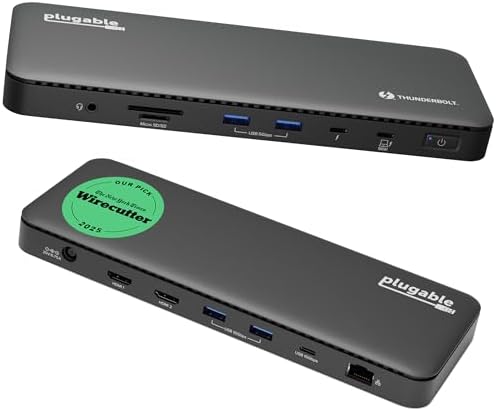

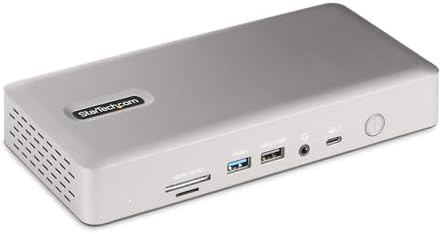
Base-chip MacBook in the mix? DisplayLink path (driver on each laptop):


Dell fleet seat that also hosts a Mac? The Dell WD22TB4 still works as a Thunderbolt dock for other laptops, but ExpressCharge applies only to supported Dells. See the Dell WD22TB4 guide.

More detail: dual-4K Thunderbolt/USB4 hub, best MacBook docks, USB4 docks for Windows, DisplayLink docks, CalDigit TS4 vs TS5 vs TS5 Plus, and USB-C hub vs docking station.
FAQ
Do I have to reinstall anything when switching laptops?
Not for a native Thunderbolt dock. DisplayLink needs its driver installed once on each laptop.
Why do I get fewer monitors on my Mac than my PC on the same dock?
The Mac’s chip sets the native display limit, and macOS does not extend over MST. See monitor not detected through a dock.
Will a Thunderbolt 5 dock work with both?
Thunderbolt 5 docks are generally backward compatible with Thunderbolt 4/USB4 hosts at lower speeds; check the listing and is Thunderbolt 5 worth it.
Related: Monitor not detected through a dock · MacBook won’t run two monitors · Dock not charging your laptop · Home
Disclosure: As an Amazon Associate I earn from qualifying purchases. Product cards and outbound Amazon links are affiliate links. Tag: onsight068-20.
Pingback: Best Docking Station Under $100 for Laptops (2026) | RavenSkye