Last updated: October 18, 2026
By RavenSkye Editorial. Specs come from manufacturer and Amazon listings; this is not a lab test. Prices change, so check Amazon for current pricing.
As an Amazon Associate I earn from qualifying purchases.
Short answer: If your Dell, Lenovo, or HP laptop has a Thunderbolt 4 or USB4 port, a universal Thunderbolt 4 dock works across all three brands. Pick by how many monitors you run and how much charging power your laptop needs. Dell owners who want ExpressCharge need a Dell dock like the WD22TB4.
Check first: look for the Thunderbolt (lightning bolt) icon next to the laptop’s USB-C port, or check the laptop’s spec sheet. A plain USB-C port may not support every dock feature. For cheaper hub options, see our best docking stations under $100.





Quick picks
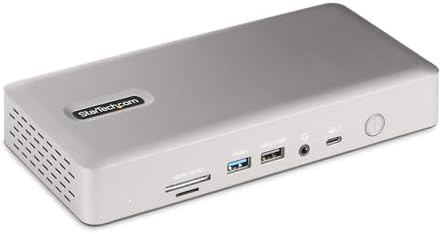
- Most monitors on Windows: StarTech Thunderbolt 4 (up to quad 4K on Windows, per the listing)
- Business desk: Kensington SD5780T
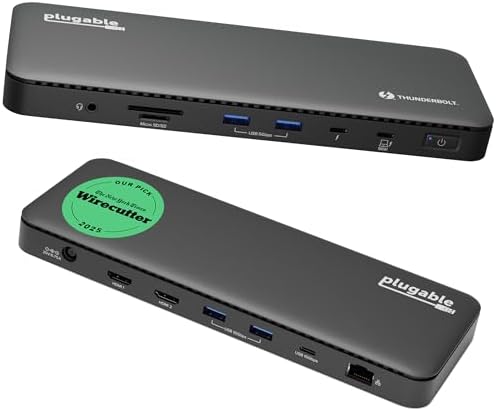
- Value Thunderbolt 4: Plugable Thunderbolt 4 Dock
- Most ports: CalDigit TS4 (18 ports)
- Triple display: Belkin Thunderbolt 4 14-in-1
- Dell fleets: Dell WD22TB4 or Dell Pro SD25TB4
- Thunderbolt 5 laptops: Kensington SD5010T5
Lenovo and HP laptops
Lenovo and HP sell their own Thunderbolt docks. They aren’t listed here because we haven’t checked them for our catalog yet. The universal Thunderbolt 4 docks above work with Thunderbolt-equipped ThinkPads and HP laptops. If your company manages docks through vendor tools, ask IT before buying a third-party dock.
How to pick
- Charging: match the dock’s power delivery to your laptop’s charger wattage.
- Monitors: the laptop’s graphics and port decide how many screens you get. The dock can’t add more than the laptop supports, so check both spec sheets.
- Cable: use the certified cable that came with the dock. See Thunderbolt vs USB-C cable for a dock.
1. StarTech Thunderbolt 4 Dock — best for multiple monitors on Windows
The listing says up to four 4K displays on Windows (two on Mac), 16 ports, 40Gbps, and 100W charging.
Best for: Windows Thunderbolt laptops (Dell, Lenovo, HP) running three or four screens. Not for: Laptops that need more than 100W.
2. Kensington SD5780T — best for business desks
The listing says dual 4K, up to 100W power delivery, an SD card reader, and HDMI plus Thunderbolt 4 ports, for Windows and MacBooks.
Best for: Office and hot-desk setups with two monitors. Not for: Three or more screens.
3. Plugable Thunderbolt 4 Dock — best value Thunderbolt 4
The listing says Thunderbolt 4 with 100W charging and dual monitor support.
Best for: A simple two-monitor Windows desk. Not for: Port-heavy creator desks.
4. CalDigit TS4 — most ports
The listing says 18 ports, 98W charging, three Thunderbolt 4 ports, 2.5GbE, and works with Mac, Windows, and Chrome.
Best for: Desks with lots of USB devices, or shared Mac and Windows setups. Not for: Quad-monitor Windows desks.
5. Belkin Thunderbolt 4 Docking Station — triple display
The listing says 14-in-1, triple display, 96W.
Best for: Three-screen Windows setups from one cable. Not for: Laptops that need more than 96W.
6. Dell WD22TB4 — best for Dell laptops
The listing says 13 ports, 40Gbps, 130W power delivery, 4K multi-monitor support, and Gigabit Ethernet. Dell ExpressCharge works only through a Dell dock on a supported Dell laptop.
Best for: Dell Latitude, Precision, and XPS fleets. Not for: Non-Dell laptops that want the Dell-only extras.
7. Dell Pro SD25TB4 — Dell quad-monitor pick
The listing says Thunderbolt 4, quad monitor support, and a 180W power supply.
Best for: Dell users running up to four screens. Not for: Travel bags.
8. Kensington SD5010T5 — Thunderbolt 5 for newer laptops
The listing says Thunderbolt 5, 140W PD, up to three 4K 60Hz displays, 13 ports, and 2.5Gbps Ethernet.
Best for: Windows laptops with Thunderbolt 5 ports, or buyers planning ahead. Not for: Older laptops without Thunderbolt 5 (see our Thunderbolt 5 guide).
Related guides
- Under $100 → best docking stations under $100 for laptops
- Dell ExpressCharge fleets → best Dell Thunderbolt docks and the WD22TB4 review
- USB4 Windows laptops → best USB4 docks for dual 4K and the Anker 568 review
- CalDigit → TS4 review
- Monitor not showing up → monitor not detected fixes
- Laptop not charging → dock not charging fixes
- Shared Mac and PC desk → one dock for Mac and Windows?
Related: Thunderbolt/USB4 dual-4K hub · USB-C hub vs docking station · Home
Disclosure: As an Amazon Associate I earn from qualifying purchases. Product cards and outbound Amazon links are affiliate links. Tag: onsight068-20.
Pingback: Best Docking Station Under $100 for Laptops (2026) | RavenSkye