Last updated: October 8, 2026
Gift ideas for remote workers and Mac users, built only from the docks, hubs, cables, and monitor arms we already cover. Budget tiers reflect Amazon prices we checked on October 8, 2026; prices change often, so confirm on the listing. Specs from manufacturers/Amazon; not a lab test.
As an Amazon Associate I earn from qualifying purchases.
Best for: Shoppers buying for someone with a laptop-on-a-desk setup who wants fewer cables, more screens, or a cleaner desk.
Not for: Gifts for desktop-PC gamers or anyone who already owns a full Thunderbolt dock; start with our dual-4K dock hub instead.
Quick picks by budget
- Under $50: a travel USB-C hub, a 240W USB4 / Thunderbolt 5-class cable, or a budget dual monitor arm
- Under $150: a Mac-matched Satechi hub, a sturdier dual arm, or a DisplayLink dual-4K dock for base-chip MacBooks
- Splurge: a CalDigit Thunderbolt dock, a Plugable Thunderbolt 4 dock, or an Ergotron stacking arm
Before you buy: one compatibility check
The biggest gift fail is a dual-monitor dock for a base M1/M2 MacBook: those chips drive one external display natively, so a standard Thunderbolt dock will not add a second screen. If you are not sure what Mac they have, pick a hub or arm, or read why a MacBook won’t run two monitors and our Apple Silicon display matrix.
Under $50


Travel hubs: UGREEN Revodok Pro 6-in-1 (10Gbps, 4K 60Hz HDMI), Anker 5-in-1 (4K HDMI), and Dell Pro DA225 (4K HDMI, USB-A, plug and play) are the stocking-stuffer lane. All three are covered in our travel USB-C hubs guide. Not sure whether they need a hub or a dock? See USB-C hub vs docking station.
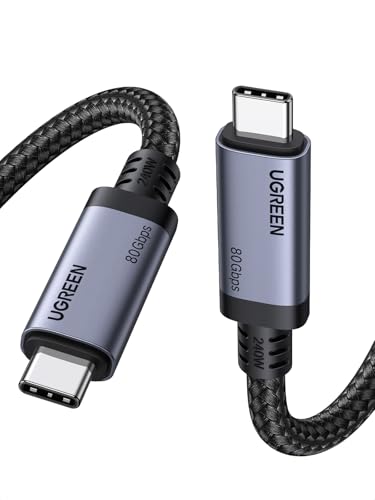

Cable + arm: the UGREEN 240W USB-C cable (USB4 Gen4 80Gbps, Thunderbolt 5 compatible per listing) is a practical upgrade for anyone whose dock cable is too short or uncertified; see Thunderbolt vs USB-C cable for a dock. The WALI dual arm (13–32 inch screens, 22 lbs per arm per listing) frees desk space for two standard monitors. Check VESA mounting and desk thickness first; our monitor arms guide covers the checks.
Under $150


- Satechi 6-in-1 or Hub Pro Slim: Mac-styled hubs with 4K HDMI and 100W PD pass-through per listing. Good for MacBook Air owners who live on one external screen.
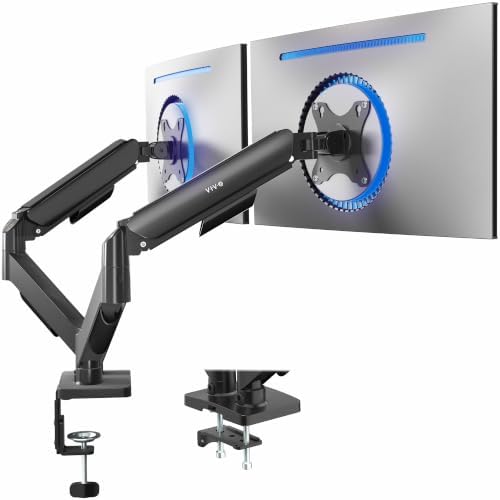
- VIVO dual arm: fully adjustable arms for 17–32 inch screens per listing; a classic upgrade from stock stands.
- Plugable 7-in-1 DisplayLink dock (UD-6950PDH): dual 4K 60Hz HDMI with 100W PD per listing. This is the base-chip MacBook gift that actually adds a second screen, with DisplayLink caveats (driver install, DRM video). Read the DisplayLink guide first.
Splurge



- CalDigit TS4: 18 ports, 98W charging, 2.5GbE. Our TS4 review covers who it suits.
- CalDigit TS5 Plus: Thunderbolt 5 with 10GbE LAN, for people whose laptop has Thunderbolt 5. Compare in TS4 vs TS5 vs TS5 Plus and is Thunderbolt 5 worth it.
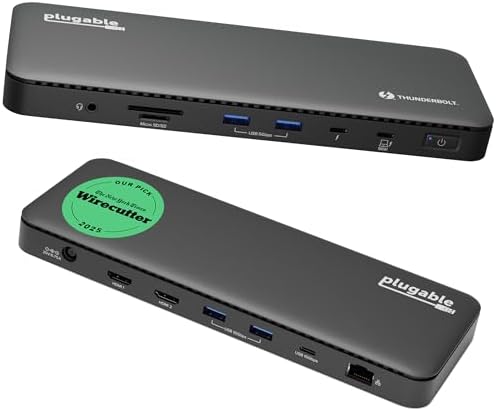
- Plugable Thunderbolt 4 dock: 100W charging and dual-monitor support per listing; a simpler Thunderbolt 4 desk dock.
- Ergotron LX vertical stacking arm: two monitors up to 40 inches stacked vertically per listing; for desks where width is the constraint.
Dell laptop owner? A Dell dock with ExpressCharge support is usually the better splurge; see the Dell WD22TB4 guide. Windows USB4 laptop? See best USB4 docks.
FAQ
Will a dock let any MacBook use two monitors?
No. Base M1/M2 MacBooks support one external display natively. A DisplayLink dock is the workaround; Pro/Max chips handle two or more natively.
Hub or dock as a gift?
Hub for travel and one screen; dock for a permanent desk with multiple monitors, Ethernet, and charging. More in hub vs dock.
Will a monitor arm fit their desk?
Check that the monitors have VESA holes, the weight per arm, and the desk clamp range. Our monitor arms guide walks through it.
Are these prices fixed?
No. Tiers reflect what we saw on Amazon on October 8, 2026. Check the current price before buying.
Related: Thunderbolt/USB4 dual-4K hub · Best MacBook docks · Travel USB-C hubs · Home
Disclosure: As an Amazon Associate I earn from qualifying purchases. Product cards and outbound Amazon links are affiliate links. Tag: onsight068-20.
Pingback: Best Docking Station Under $100 for Laptops (2026) | RavenSkye