Last updated: October 8, 2026
Short answer page. Display counts follow Apple’s published external-display support by chip class, summarized in our Apple Silicon display matrix. Always verify your exact model and year on Apple’s support pages.
As an Amazon Associate I earn from qualifying purchases.
Best for: MacBook owners whose second external monitor stays black or mirrors the first.
Not for: Intel Mac owners (Thunderbolt 3 dual display is usually fine) or people expecting any dock to unlock unlimited native displays.
The short answer
Your chip, not your dock, sets the limit. Base M1 and M2 MacBooks support one external display natively. No Thunderbolt or USB-C dock changes that, because the host’s display engine is the gate. Some newer base chips (for example certain M3 configurations) can run two externals with the lid closed (clamshell). Check Apple’s table for your model. Pro and Max chips support two or more externals natively.
The fix is either a DisplayLink dock (uses a driver to add screens beyond the native limit) or, where Apple documents it, clamshell mode on newer base chips, or a Pro/Max Mac.
Chip quick table (typical)
| Chip class | Native externals (typical) | Fix for two monitors |
|---|---|---|
| M1 / M2 base | 1 external | DisplayLink dock |
| M3 base | Often 1–2 depending on config (some: 2 in clamshell) | Verify Apple table; clamshell or DisplayLink |
| M4 base | Check exact MacBook Air/Pro table | Thunderbolt dock if two natives; else DisplayLink |
| M1–M5 Pro | 2+ externals | Thunderbolt 4 dock |
| M1–M5 Max | 3–4+ class (model dependent) | Thunderbolt 4/5 high-port dock |
Heuristics, not a substitute for Apple’s model-specific footnotes. Full version: Apple Silicon display limits matrix (M1–M5).
Quick fix checklist
- Look up your exact chip: Apple menu → About This Mac.
- Base M1/M2: buy a DisplayLink dock, or accept one external.
- Base M3/M4: check Apple’s support page for your model. If clamshell supports two, close the lid with power and keyboard/mouse connected.
- Pro/Max: use a Thunderbolt dock with two video outputs and a certified cable (cable guide).
- Streaming DRM video? Keep that screen on a native port. DisplayLink outputs can block protected playback.
Fix picks
DisplayLink path for base chips:


Native Thunderbolt path for Pro/Max (and base chips that support two in clamshell):

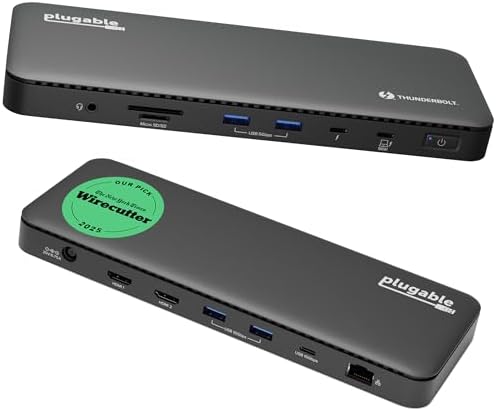
Deeper picks and caveats: best DisplayLink docks for Apple Silicon and best MacBook docks (M1–M5). Cross-platform shoppers: dual-4K dock hub.
FAQ
Can a Thunderbolt 5 dock fix a base M1?
No. Host display engines still gate native outputs.
Why do both monitors show the same picture?
Some hubs mirror (MST) on macOS. macOS does not support MST extended displays, so a cheap dual-HDMI hub often mirrors instead of extending.
Is DisplayLink safe to use?
It is a widely used driver-based approach; expect a driver install, screen-recording permission, and possible DRM playback limits. See our DisplayLink guide.
Related: Display limits matrix · MacBook docks · Monitor not detected through a dock · One dock for Mac and Windows · Home
Disclosure: As an Amazon Associate I earn from qualifying purchases. Product cards and outbound Amazon links are affiliate links. Tag: onsight068-20.
Pingback: Monitor Not Detected Through Dock? Fixes | RavenSkye
Pingback: MacBook Pro M5 Dual Monitor Docking Station (2026) | RavenSkye