Last updated: September 28, 2026
Flagship decision matrix summarizing Apple’s published external-display support by Apple Silicon class (M1–M5 era). Always verify your exact year/model on Apple’s support pages — configs (base vs Pro/Max, lid open vs clamshell) matter.
As an Amazon Associate I earn from qualifying purchases.
This page is the chip → display → dock decision tree. Use it before you buy. Then jump to our MacBook docks money page for native Thunderbolt picks, or the DisplayLink guide for base chips that need extra screens.
Best for: Anyone choosing between TB4 docks vs DisplayLink on M1–M5 MacBooks.
Not for: Intel Mac owners (TB3/TB4 dual display is usually fine) or people hunting a dock that “unlocks” unlimited native displays — that product does not exist.
Apple Silicon external display matrix (typical)
| Chip class | Native externals (typical) | Lid / notes | Dock strategy |
|---|---|---|---|
| M1 / M2 base (Air & base Pro) | 1 external | Built-in + one external | TB4 = one display; DisplayLink for two+ |
| M3 base | Often 1–2 depending on config | Some configs: 1 with lid open, 2 in clamshell — verify Apple table | Confirm year; else DisplayLink |
| M4 base | Check exact MacBook Air/Pro table | Newer base chips improved vs M1 — still verify | TB4 if two natives; else DisplayLink |
| M1/M2/M3/M4/M5 Pro | 2+ externals | Higher than base | Thunderbolt 4 dock default |
| M1/M2/M3/M4/M5 Max | 3–4+ class (model dependent) | Studio / Pro Max tiers higher | TB4/TB5 high-port docks |
| M5 era (new) | Follow Apple’s current support doc | Do not assume marketing copy | Match ports (TB4 vs TB5) to host |
Numbers above are decision heuristics, not a substitute for Apple’s model-specific footnotes (especially base M3/M4 lid behavior).
Decision tree
- Find your exact chip on Apple → External displays support.
- If natives ≥ monitors you need → buy a Thunderbolt 4 (or TB5 if host has it) dock.
- If natives < monitors → DisplayLink path, accept DRM/CPU caveats.
- If you only stream HDCP video on one screen → keep that screen on a native port.
Light affiliate picks (after you decide)
Native multi-display path — start with CalDigit TS4 on Pro/Max:

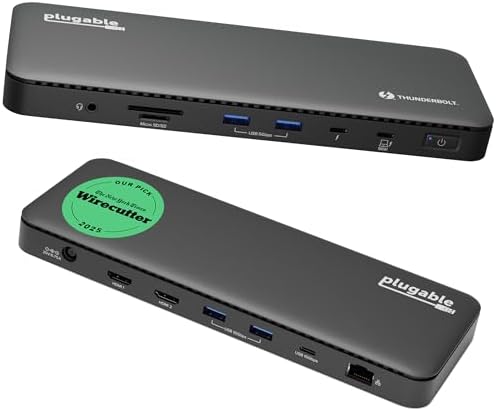
DisplayLink path for base chips — Plugable dual 4K or Kensington multi-display:


Related RavenSkye guides
- Best docking stations for MacBook (M1–M5) — money page, native vs DisplayLink products
- Best DisplayLink docks for Apple Silicon — DRM/performance caveats deep dive
- Best Thunderbolt/USB4 docks for dual 4K — cross-platform hub
- Is Thunderbolt 5 worth it? — who should wait
FAQ
Can TB5 break the base M1 one-external limit?
No. Host display engines still gate native outputs.
Is clamshell a free second display on every base chip?
Only where Apple documents it. Never assume across generations.
Should I buy DisplayLink “just in case” on M4 Pro?
Usually no — spend on a better TB4 dock and monitors instead.
Disclosure: As an Amazon Associate I earn from qualifying purchases. Boxes and links are paid links. Tag: onsight068-20.
Pingback: Best Thunderbolt / USB4 Dual 4K Docks (2026) | RavenSkye
Pingback: MacBook Won’t Run Two Monitors? The Fix | RavenSkye